LuxExport
The Standard Export Module
✨ Features
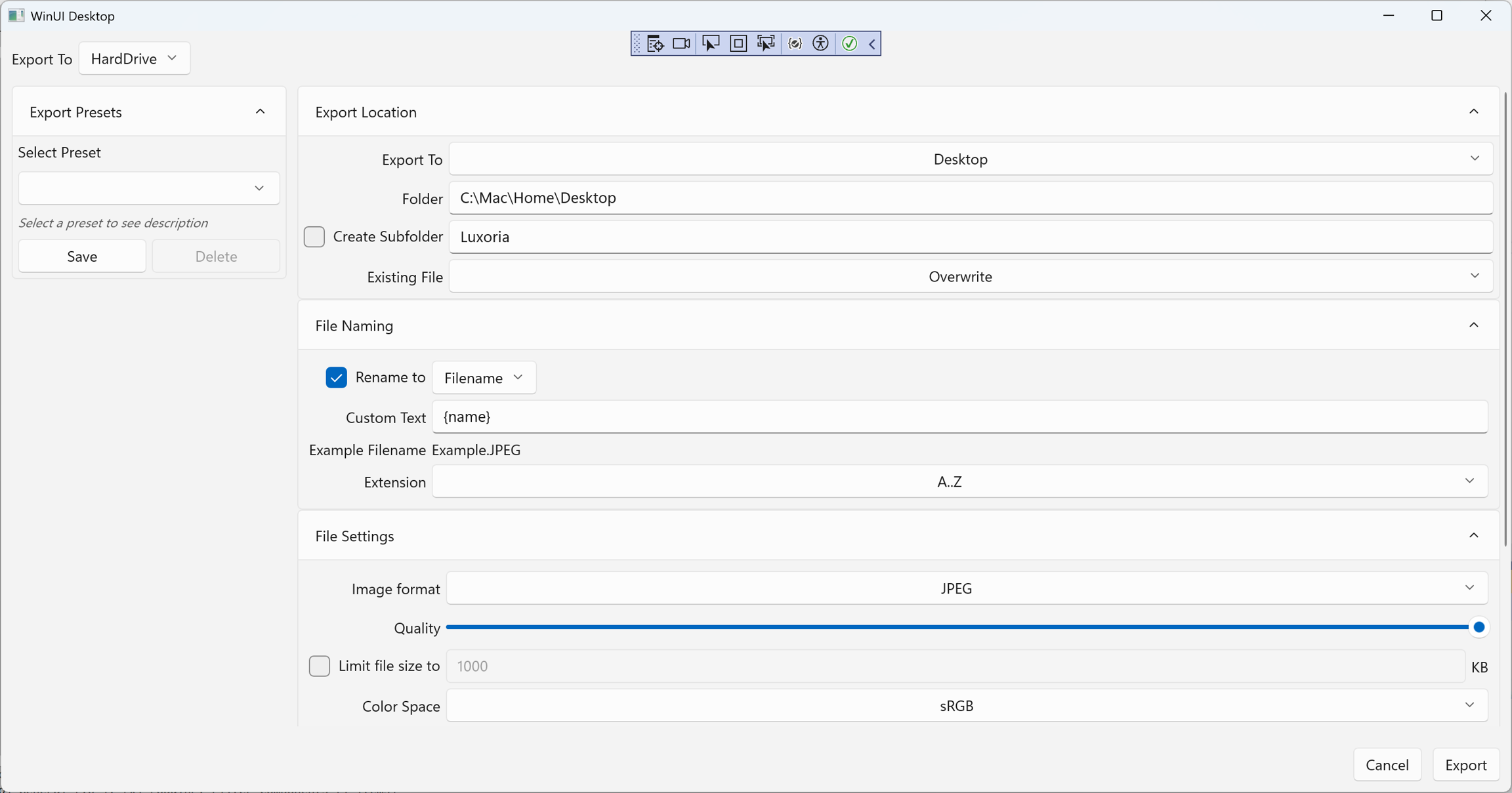
Multi-Format Output Export photos in JPEG, PNG, BMP, GIF, WebP, AVIF, TIFF, and more.
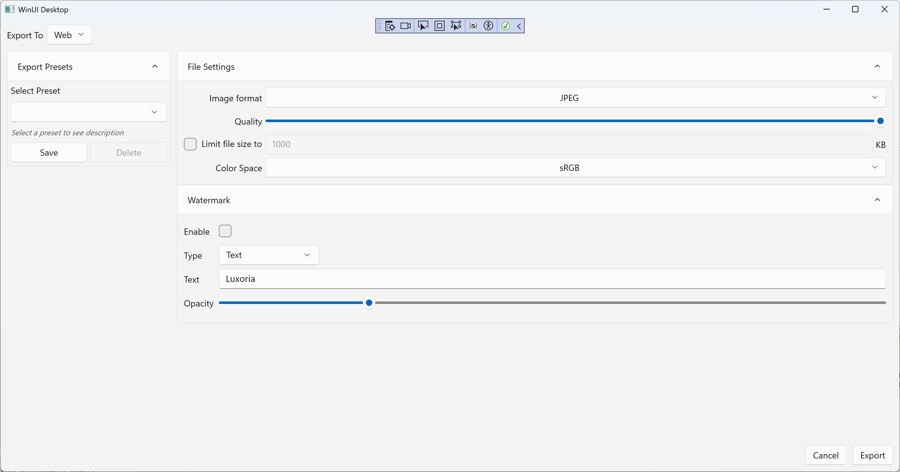
Flexible Export Destinations Choose between Hard Drive and Web export modes, each with tailored options.
Custom File Naming Define filename patterns with dynamic tags like
{name},{date},{counter}, and metadata fields. Preview filenames instantly before export.Conflict Handling Decide how existing files are managed: Overwrite, Rename, or Skip.
Subfolder Support Automatically organize exports into subfolders for cleaner project structure.
Advanced File Settings Adjust format, quality, color space (sRGB, etc.), and optional file size limits for precision control.
Watermarking (Web Export) Add text watermarks with adjustable opacity for branding and content protection.
Presets for Reuse Save and load export presets to streamline repetitive workflows.
Real-Time Progress Feedback Track export progress, with the ability to pause or cancel tasks safely.
📂 How It Works
Select Destination Choose Hard Drive or Web export mode.
Configure Settings Set format, quality, naming pattern, subfolders, and watermark (if applicable).
Preview & Confirm View sample filenames and confirm settings before export.
Export Run the export with live progress tracking and conflict resolution.
📌 Coming Soon
Batch Export Reports Generate logs and summaries of exported files for documentation.
Enhanced Metadata Tokens More dynamic options for filename generation.
Branding Templates Predefined watermark and naming schemes for professional delivery.
📄 License
Luxoria and all standard modules are licensed under the Apache 2.0 License.
See the LICENSE for details.
Source Code: LuxExport on GitHub
Last updated